Choosing software


A hybrid member event needs five things: booking that keeps in-room and online places apart, a joining link that reaches only the people who booked online, a video platform, a microphone and camera set up for people who are not in the room, and one person whose whole job is the online audience. Check-in, recording and follow-up are jobs you already do, now for two groups. Most hybrid events go wrong on sound, so spend the effort there.
This guide is for events and membership teams at a chamber of commerce, association or business network planning a briefing, AGM, training session or panel that some members attend in person and others join online. Filling the room is covered in our guide to improving event attendance, and the door list and thank-you emails in the event check-in and follow-up checklist.
A business network running hybrid events needs booking that sells in-room and online places separately, a way to send the joining link to online bookers only, a video platform the team knows, microphones and a camera for the room, a door list, a place to publish the recording, and separate follow-ups for each group.
| Job | What you need | What goes wrong |
|---|---|---|
| Booking | Separate in-room and online places | Catering is ordered for the total |
| Joining link | Sent to online bookers only | It is posted on the public event page |
| Video platform | One your team knows, with its own host | The speaker runs the call |
| Room sound and camera | Two microphones and a camera | Online attendees miss the questions |
| Online host | Someone on the chat, feeding the chair | Online questions go unread |
| Attendance | The door list plus a list of online joiners | Online attendees look like no-shows |
| Recording | Notice at booking and a home in your resources | The file sits in a downloads folder |
| Follow-up | Separate messages for each group | Online attendees are thanked for coming along |
Make an event hybrid when someone watching online gets most of what a person in the room gets: a briefing with a speaker, an AGM, a training session or a panel. Keep networking breakfasts, receptions and dinners in the room, because their value is the conversation. Record any talk at those and share it afterwards instead.
Hybrid is the most demanding format you can run, because it is two events in one place at once. It pays off when the value is the speaker and the answers: at a briefing on export paperwork, a member two hours from the venue gets the same from a laptop. An AGM is often where an online option matters most, because members who would never travel for it can still take part.
At a networking event, online guests can only watch other people talk, while the room ignores a laptop on a table. If most of the audience would join online anyway, run the event online only.
Give each kind of place its own limit, the room's from the venue and the online one from your platform licence, and set both prices before you publish. An online place gives less of the event, so a lower price, or a free place for members, is easy to justify. Say on the event page what each includes.
Let a member who can no longer travel switch online instead of cancelling, and give the caterer the in-room number only.
Keep the link off the public event page, the newsletter and social media. Once it circulates, anyone can join and you lose track of who was there. Send it to online bookers with the confirmation, in the reminder the day before and an hour before the start, when people go looking for it.
Use one link and never change it. Name a contact for anyone whose link will not open, and test it from outside your own network, because a member's company laptop may block a platform your team uses daily.
A hybrid event needs a video platform your team has run before, a laptop kept for the call, a microphone on the speaker, a second for questions from the floor, a camera at eye level, a loudspeaker so the room hears online questions, and a reliable connection.
If your organisation already holds its meetings on a platform such as Zoom or Microsoft Teams, start there: a host who has run it before matters more than the platform. Decide whether online attendees will speak on camera or type questions, and check your licence covers that and your numbers. The speaker never runs the call. A colleague does, on their own laptop.
This is where hybrid events usually fail, and online attendees rarely complain about it: they leave the call. A laptop microphone on a lectern picks up the speaker tolerably and the room hardly at all, so the online audience hears the talk, then muffled questions and laughter at jokes they missed.
Give the speaker a microphone that feeds the call, plugged into the call laptop or through the venue's sound desk. Give the floor a handheld microphone, and have the chair announce one rule at the start: nobody asks a question without it. Where it cannot reach, the chair repeats the question in full.
Put the camera on the speaker at roughly eye level, share slides straight from the presenting laptop, and put a loudspeaker in the room for online questions. Ask the venue early whether its sound system can feed a laptop, and bring your own equipment if not. Run a sound check thirty minutes before the doors open, with a colleague listening from outside the building.
Give one person the online audience as their whole job: welcoming people, watching the chat and passing questions to the chair. Have the chair take questions from the room and online in turn, and read online questions out with the person's name. Start on time, and split long sessions into shorter parts with questions between them.
The online host is the role teams most often skip, because on paper it looks like a spare person. Without one, a sound problem goes unnoticed until people have left. The host also posts slides and links in the chat and tells the room at once if the sound drops.
Leaving a room means walking out past the speaker, while leaving a call takes one click, so a 90-minute session works better online as three half-hour parts with questions after each. If online attendees will not join the networking, say so on the event page.
Check the room in by name as usual. Before the host closes the call, save the list of who joined, in whatever form your platform gives it, and match those names to the bookings within a day. Otherwise online attendees look like no-shows, and the next email they get from you says you missed them.
Say at booking, and again at the start, that the session is being recorded. Point the camera at the speaker, and pause for anything you would not want passed round, such as open discussion at an AGM. Give the file a title that says what it covers ("Exporting to the EU: the paperwork" rather than "Recording 14 March"), publish it where members look for resources, and send the link within a few days.
Send three messages: a thank-you to the room, a thank-you written for online attendees with the recording and anything shared in the chat, and a note with the recording to those who booked and did not come. Add one survey question for online attendees: could they hear the questions from the floor?
We make Portava, membership software for chambers of commerce, associations and business networks, and events in it can run in person, online or hybrid.
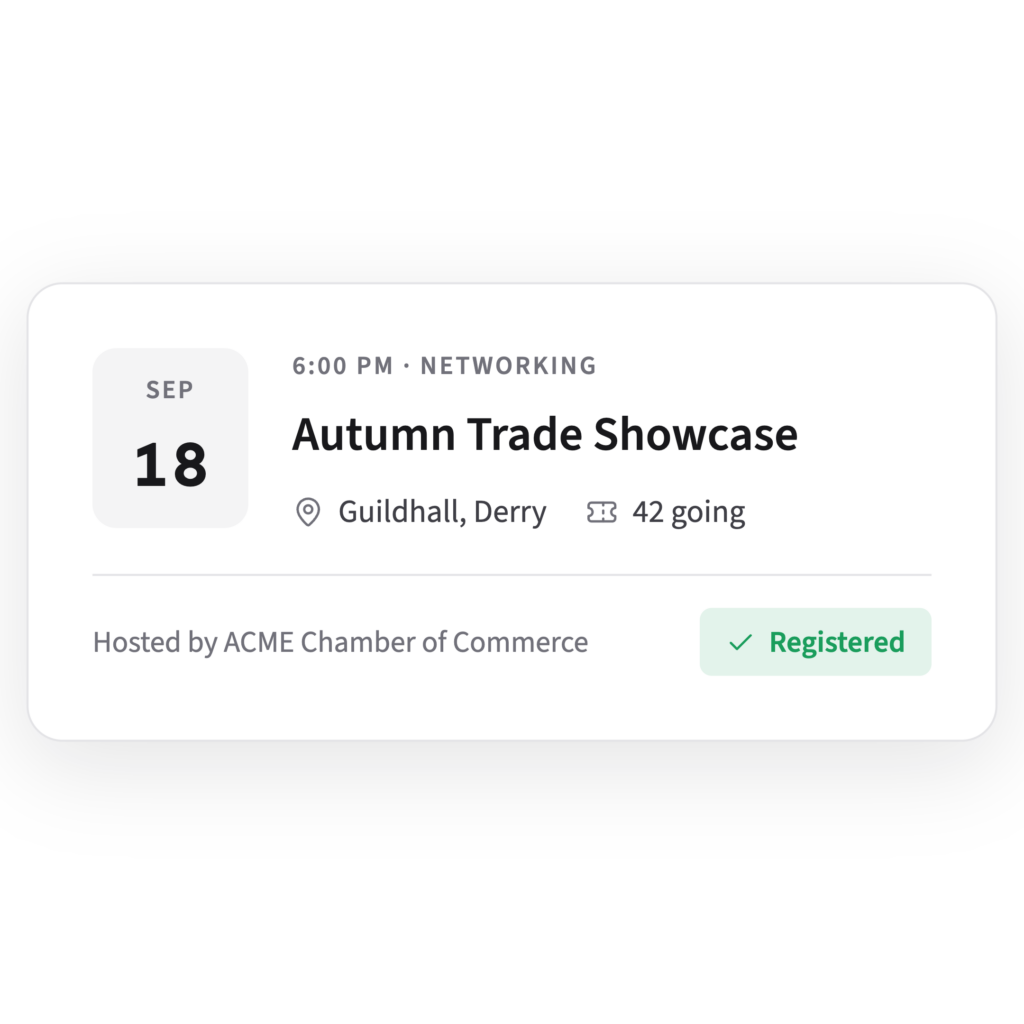
Each event has its own ticket types, each with a price, a number of places and the membership tiers it applies to. Members see only the types for their tier, at the member rate, and each booking comes with a QR-code ticket under My tickets. An automatic reminder goes to everyone registered, 24 hours ahead by default. On the door, the team checks people in from Event check-in on a phone. Afterwards, Event follow-ups drafts a thank-you and a note for those who did not come, which the team edits before sending.
Example screen with sample data
The team shares a recording as a resource, either as a YouTube or Vimeo link that plays inside it or, where the portal offers it, as an uploaded file that plays for members only. Publishing a resource adds it to the portal's assistant, so members can find the talk by asking as well as by browsing.
There are no recurring events yet, so a monthly hybrid briefing is set up as its own event each month. To see how an event is set up, request a demo.
A webinar is online only: everyone watches the same screen, and the speaker talks to a camera. A hybrid event has an audience in a room and another online at the same time, so it needs room sound, a camera, a door list and someone looking after each group, which makes it harder to run well.
At least two, with separate jobs. One looks after the room: the door, the speaker and the microphone for the floor. The other runs the call and watches the online chat, and the speaker should be neither. At a larger event, add someone on the door so the room lead can chair or carry the microphone.
That depends on your governing document. Check whether your articles of association, constitution or rules let members attend, count towards the quorum and vote remotely, and take advice if they are silent or unclear. If a hybrid meeting is allowed, decide in advance how online members will vote and how those votes are counted with the room's.